
Explore crypto AML transaction monitoring rules, red flags, and 6 practical scenarios, backed by Global Ledger's analysis of 99 exchanges.
Where did the assets move, what happened next, and where can investigation teams find the evidence? Answering these questions often means hours of manual tracing, expanding transaction graphs, reviewing every new movement, and worrying that something important might be missed.
AutoTrace Case Management is built to take that weight off your team. It automatically follows tainted assets from a single starting point, monitors activity in the background, and captures every movement in a structured, case-ready evidence file, so you can focus on decisions and next steps instead of manual work.
AutoTrace Case Management: trace and investigate 24/7
Investigations rarely follow a predictable path. Assets are moved, divided, and swapped, often passing through multiple wallets and known blockchain services along the way. Keeping track of these movements manually takes time, requires constant attention, and can make it difficult to clearly explain what happened later — especially when evidence is needed for crypto recovery or blockchain forensics.
As part of the Global Ledger сrypto investigation toolset, AutoTrace Case Management supports investigation teams working on complex crypto cases, from initial incident to final destination of funds and evidence building. It automatically follows tainted assets from a single starting point, monitors their movement in real time, and records every step in a structured, case-ready format — so you don’t have to rebuild the story after the fact.
With AutoTrace Case Management, you can:
How it works
AutoTrace Case Management is designed to keep you continuously informed without constant manual checks. With configurable alerts and notifications, you’re notified as soon as important asset movements occur. Here’s how the feature works within the Global Ledger toolset:
1. You create a new case (incident) by entering an incident transaction specifying the blockchain and token.
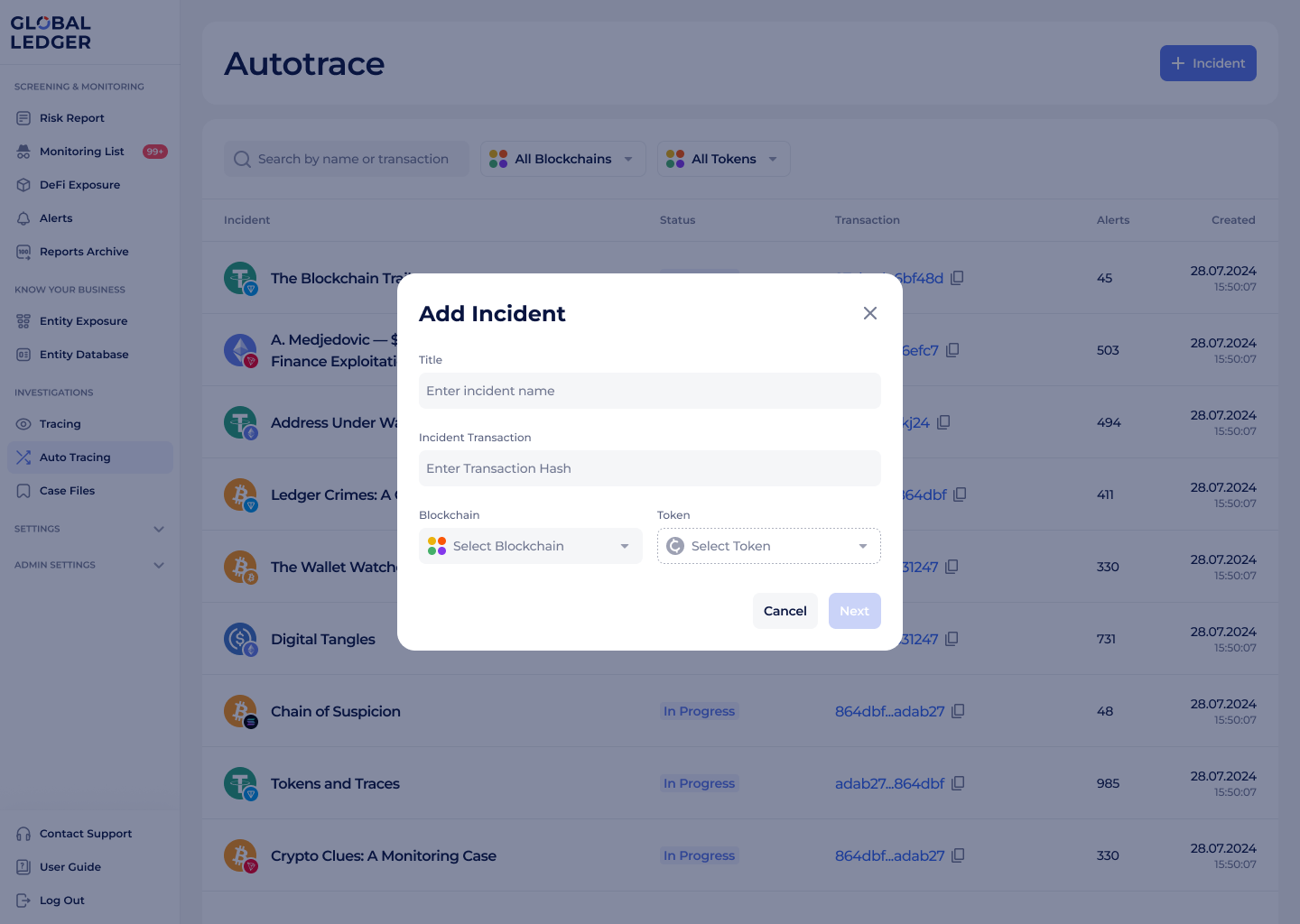
Adding an incident in the AutoTrace feature by Global Ledger
2. You can also configure alerts for key events, such as transfers to known entities (for example, CEXs) or unhosted wallets.
When assets of interest move or reach known services, you can also receive instant notifications via Slack or Telegram, so you can react immediately.
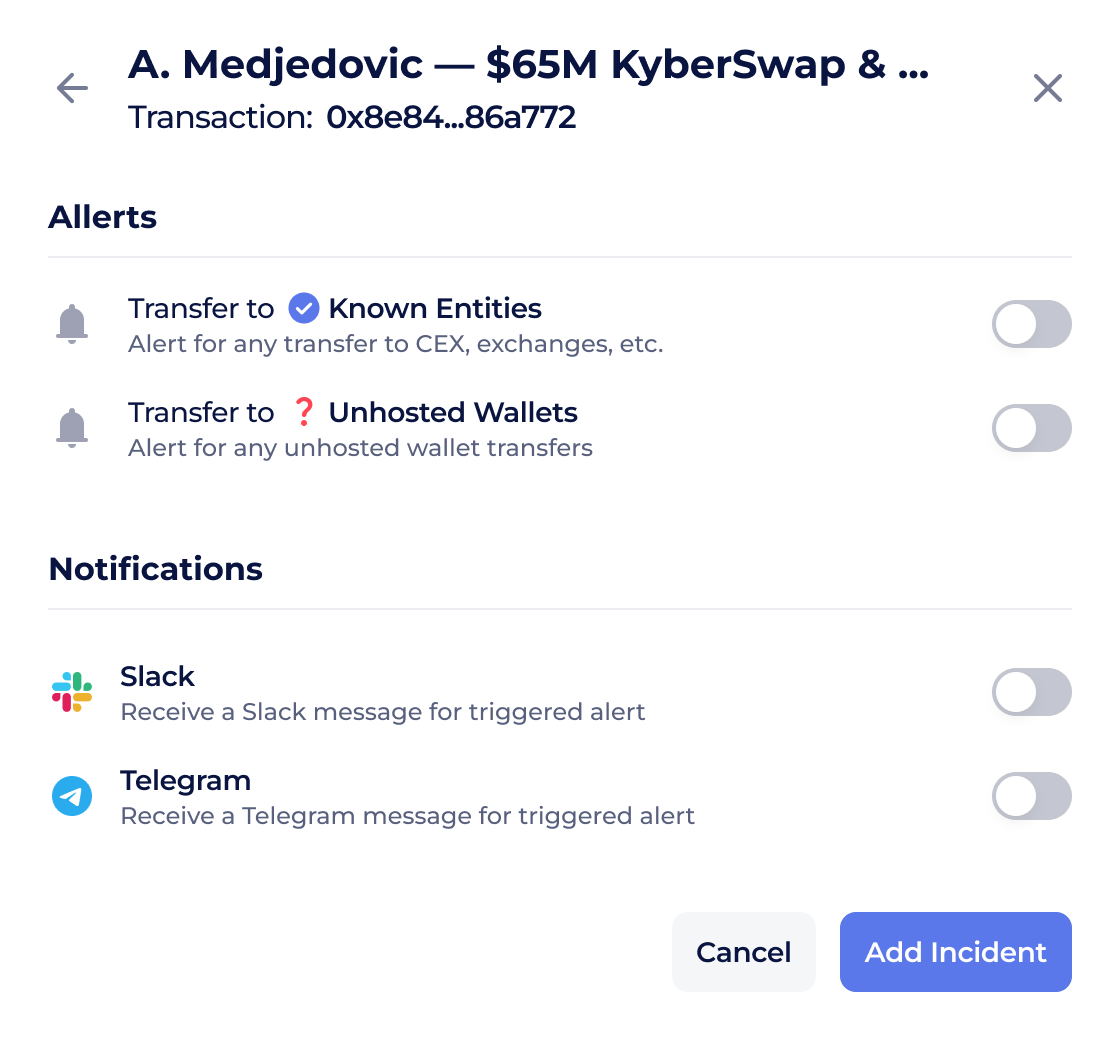
Configuring alerts and notifications in the AutoTrace feature by Global Ledger
AutoTrace then begins following the tainted assets automatically from that point onward. All movements are tracked in real time and displayed in a structured format. As a result, investigation time is reduced, evidentiary quality is improved, and teams gain clear insights for incident response, compliance, and cooperation with law enforcement.
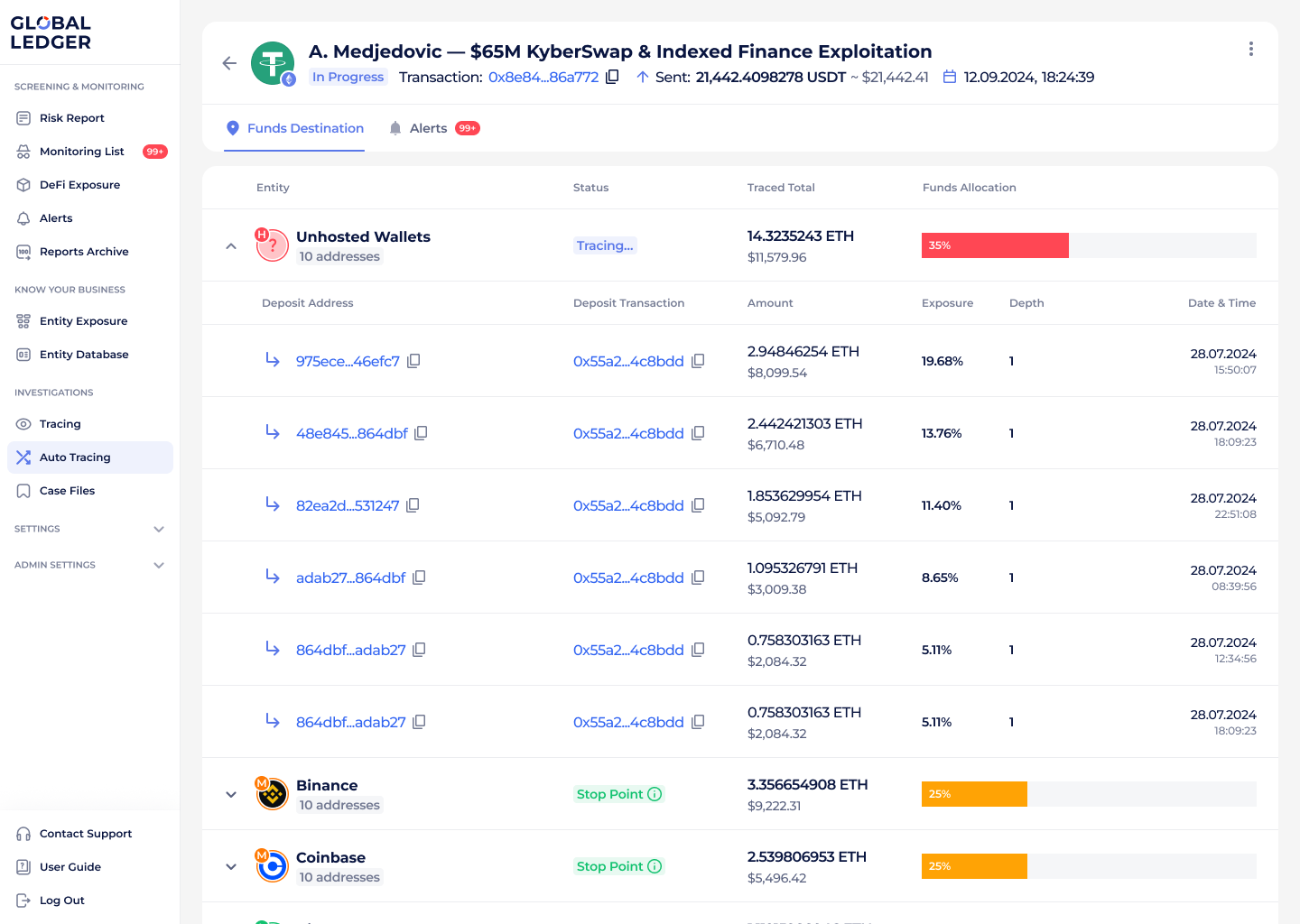
Incident tracing view within the AutoTrace feature by Global Ledger
AutoTrace Case Management use cases
Case 1. Investigating stolen assets
A typical investigation may start with a single alert, a suspicious transaction, or a report of stolen funds. At this stage, there is often limited context, but a strong need to act quickly before assets move further or disappear across multiple services.
When you’re responding to a hack, fraud case, or suspicious movement, time is critical. Assets can move quickly across dozens of wallets and services.
With AutoTrace Case Management, you start from the initial transaction and let the system follow the trail automatically. You are alerted as soon as assets move or reach known services (entities), helping your team act quickly, coordinate outreach, and support asset-freezing requests with clear evidence.
Case 2. Building defensible evidence for legal action or cooperation
As investigations progress, teams are often asked to explain what happened — not just internally, but to legal teams, partners, or public authorities. Reconstructing complex fund flows after the fact can be time-consuming, and sharing results often turns into screenshots, exported files, and long explanations.
AutoTrace automatically captures all movements in a structured, visual format, making it easier to prepare forensic reports and maintain a consistent narrative from the first hop to the final destination. Besides, when investigation results need to be shared, teams can use the Public Cases feature to securely provide access to a full case via a link — without requiring recipients to log into Global Ledger.
This makes collaboration with external teams faster and clearer, whether you’re supporting legal action, coordinating with partners, or sharing findings with authorities. You can read more about how the Public Cases feature works here.
Make investigations faster without missing a single move
AutoTrace Case Management helps you move from manual tracing to continuous, automated investigation support. You stay informed in real time, keep a complete evidence trail, and reduce the burden on your team — while gaining data-backed insights for incident response, compliance, and cooperation with law enforcement.
Request a demo to see AutoTrace Case Management in action. Our team will guide you through the law enforcement toolset and show how it fits into your investigation workflow.